AI Writing Assistant
Ask AI to fix mistakes everywhere at once. Rephrase paragraphs with "make this professional" or "simplify for beginners." See responses stream word-by-word. Your OpenAI key never leaves your browser.
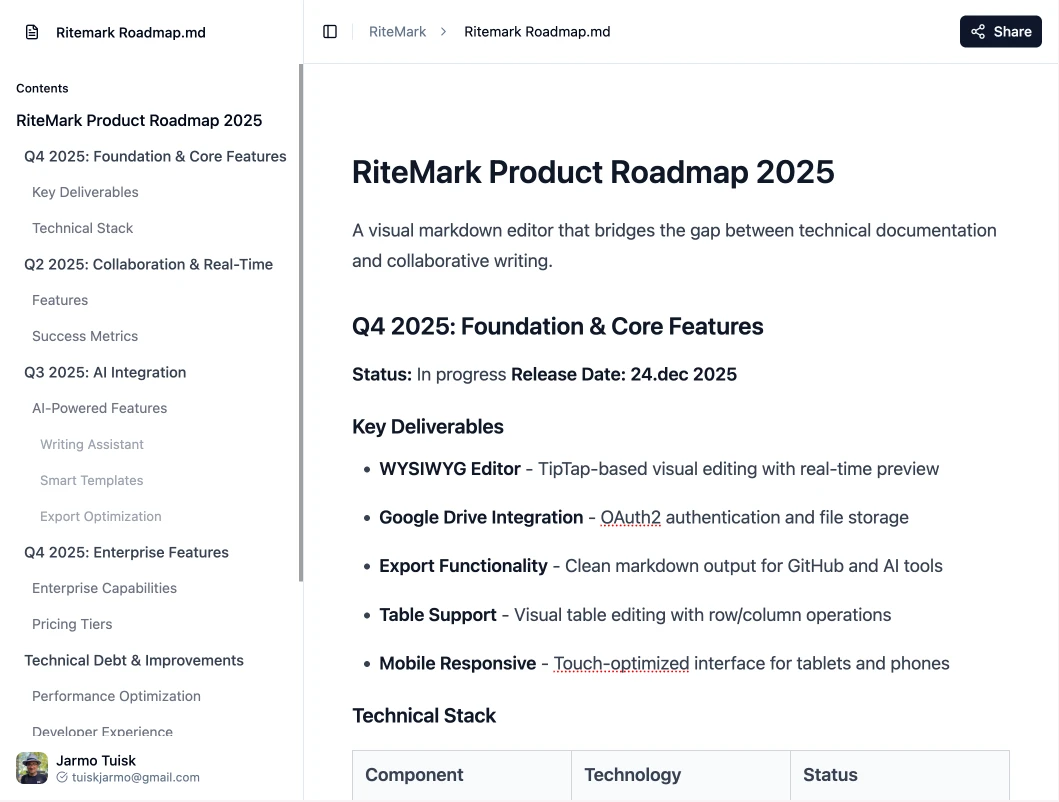
Edit with formatting buttons, export clean markdown—you never see syntax until you're ready. Perfect for ChatGPT instructions and knowledge bases, Claude Code agents, GitHub docs.
✓ Free & open source • ✓ Start writing in 30 seconds • ✓ Files in your Google Drive
Ask AI to fix mistakes everywhere at once. Rephrase paragraphs with "make this professional" or "simplify for beginners." See responses stream word-by-word. Your OpenAI key never leaves your browser.
Format with buttons and shortcuts—bold, headings, lists, tables. See final output as you type. No memorizing symbols. Export clean markdown only when you're ready—for ChatGPT custom instructions, Claude Code agents, or GitHub READMEs.
Auto-saves every 3 seconds to YOUR Google Drive—not our servers. We can't read your documents. Access anywhere, share with your team, revoke our access anytime. You own your data.
One-click copy for ChatGPT custom instructions and knowledge bases. Export to Claude Code agent configs. Download as .md for GitHub READMEs. Or save as .docx for stakeholders. Standard-compliant markdown—paste directly, zero conversion.
Recent updates and improvements to RiteMark
Find and Replace Anything - Fix mistakes everywhere at once. Change "color" to "colour" across your entire document. Rephrase On Command - "Make this more professional" or "simplify for beginners" - AI rewrites while keeping your meaning. See AI Think - Watch changes appear in real-time. No waiting anxiety. Stop unwanted responses mid-stream.
Select text, ask AI to improve it. Insert new paragraphs, rewrite sections, or fix grammar—all with natural language commands. Bring your own OpenAI key (BYOK) for privacy.
New settings hub for profile, preferences, and privacy. Improved OAuth with token validation and HTTPS enforcement. GDPR-compliant data export and one-click account deletion.
Editor preferences sync across all devices automatically. Font size, theme, and auto-save update every 30 seconds—encrypted and stored in your Google Drive.
Copy markdown to clipboard, export to Word (.docx), or download .md files. One-click exporting preserves all formatting—share with anyone, in any format.
Time travel for documents. View every past version saved to Drive, compare changes side-by-side, and restore with one click. Never lose work again.
RiteMark is a visual markdown editor where you never see syntax until you export. Format text with toolbar buttons (like Google Docs), then export clean markdown for ChatGPT custom instructions, Claude Code agents, or GitHub docs. Perfect for people who need markdown output but don't want to learn markdown syntax.
Nope! That's the whole point. Edit visually with formatting buttons—markdown conversion happens automatically behind the scenes. You only see markdown when you click "Export" to paste into ChatGPT instructions, Claude Code configs, or GitHub READMEs. If you can format text in Google Docs, you can create markdown with RiteMark.
No. We can't and don't want to. Your documents save to YOUR Google Drive—not our servers. We only request access to files you create or open with RiteMark (drive.file scope). All document processing happens in your browser. Revoke our access anytime from Google Account settings. Audit our code on GitHub.
RiteMark is free and open-source (MIT license). Documents use your Google Drive storage (15GB free, or upgrade to Google One for more). No hidden fees, no premium tiers, no credit card required. The AI writing assistant requires your own OpenAI API key (bring your own key model).
Most markdown editors show you the syntax (split-screen preview) or use proprietary formats. RiteMark is the only editor where you never see markdown until you export. Key differences:
Your files are safe in YOUR Google Drive—not our servers. RiteMark is open source on GitHub. If we shut down tomorrow, fork the code and self-host. No vendor lock-in, you own your data.
Your data stays yours. Complete transparency on how we protect your privacy.
No passwords to manage. Sign in securely with your Google account using industry-standard OAuth2 protocol.
We don't collect, store, or analyze your documents. Your content exists only in your Google Drive.
We only request access to files you create or open with RiteMark. We cannot see your other Drive files.
Full source code transparency. Anyone can audit our security practices and verify our privacy claims.
Built with European privacy standards in mind. Your data sovereignty is guaranteed.
We use exclusively Google's official Drive API. No third-party cloud services or data processors.